Gigabyte AORUS Master 16 Review: OLED Brilliance, Powerful RTX 5080 Performance & Distracting Fan Noise (2026)
The premium gaming laptop market has long been dominated by brands like Asus, HP, Dell, and Lenovo—but Gigabyte is stepping in aggressively with the AORUS Master 16, a powerhouse built around a flagship-grade OLED panel, Intel’s top-tier Core Ultra 9 275HX processor, and Nvidia’s latest GeForce RTX 5080 GPU.
Priced at ₹3,15,000, this laptop positions itself as a fully loaded premium gaming machine for enthusiasts, creators, and users who want uncompromised performance. I spent time testing the device, and here’s my complete, experience-based review.
Quick Overview Table
| Specification | Details |
|---|---|
| Product Name | Gigabyte AORUS Master 16 |
| Brand | Gigabyte |
| Price | ₹3,15,000 |
| Processor | Intel Core Ultra 9 275HX |
| RAM | 32GB LPDDR5X 5600MHz |
| Storage | 1TB PCIe 4.0 NVMe SSD |
| GPU | NVIDIA GeForce RTX 5080 (12GB GDDR7) |
| Display | 16-inch OLED, 1600×2560, 240Hz, HDR True Black 500 |
| Battery | 99Wh |
| Charging | 330W Adapter |
| OS | Windows 11 Home + GiMate |
| Ports | DC-in, RJ-45, HDMI 2.1, USB-A Gen2, Type-C TB5, USB-A, USB-C, MicroSD, 3.5mm |
| Weight | 2.5 kg |
| Colour | Dark Tide |
Design & Build Quality
The AORUS Master 16 embraces a bold gaming aesthetic with sharp edges, RGB accents, an illuminated AORUS Falcon logo, and a rear projection light that casts the logo on your desk surface. It confidently stands out without appearing flashy or tacky.
However, the build is predominantly plastic, which feels underwhelming at this price—especially when several competitors offer metal lids and aluminium decks in the same segment. Despite this, the laptop feels sturdy enough for daily use.
At 2.5 kg, it isn’t the most portable machine, but it’s expected for a laptop with high-end cooling and flagship gaming hardware.
Display / Screen Quality
Gigabyte’s biggest win here is the display. The 16-inch OLED panel is easily among the best in this price range.
Key Highlights
-
2560×1600 WQXGA resolution
-
240Hz refresh rate
-
VESA DisplayHDR True Black 500
-
100% DCI-P3 coverage
-
500 nits peak brightness
Real-world usage is excellent—deep blacks, punchy colours, high contrast, and fluid motion. Whether binge-watching Netflix or gaming titles like Alan Wake 2, the screen looks premium and immersive.
Indoor visibility is great; outdoor brightness is adequate but not exceptional.
Performance & Hardware
Powered by the Intel Core Ultra 9 275HX, 32GB RAM, fast PCIe 4.0 SSD, and the latest NVIDIA RTX 5080, the laptop is built for uncompromised performance.
Real-World Performance
The system feels snappy during multitasking with 20+ Chrome tabs open alongside streaming and background applications. It can handle office workloads, content creation, and heavy multitasking effortlessly.
Gaming Performance
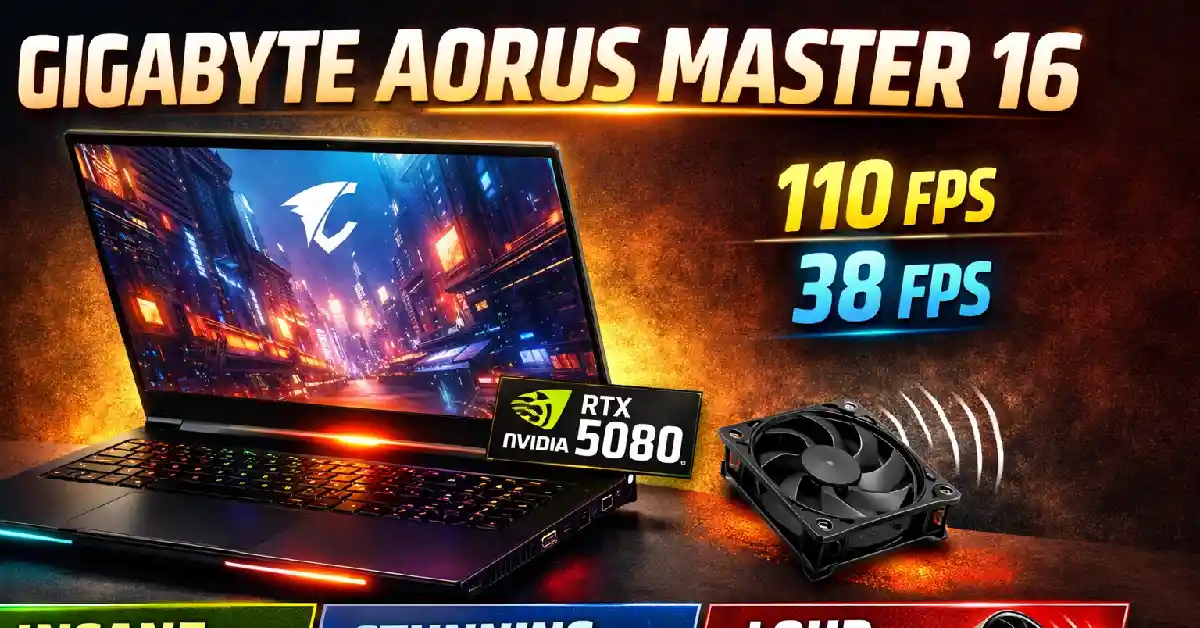
As per tests shared:
-
Alan Wake 2 (Native Resolution + DLSS + 4X Frame Gen): ~110 fps
-
Cyberpunk 2077 (Ultra Settings): ~38 fps
-
Shadow of the Tomb Raider (Highest Settings): 110–114 fps
These results align with what’s expected from a top-end RTX laptop.
Thermals & Fan Noise
This is where things get tricky:
-
Cooling is effective.
-
Thermal throttling is minimal.
-
BUT the fans get extremely loud, especially in performance mode.
Late-night gaming sessions are almost impossible without headphones.
Software & User Experience
The laptop runs Windows 11 Home and supports the new CoPilot+ AI features.
Gigabyte includes its GiMate software for performance profiles and system monitoring. While useful, it still needs refinement.
Issues Noted
-
Graphics switching issues when unplugging the charger.
-
Overcomplicated navigation to manage GPU mode (Scenario → Power Supply → AI Power Gear → Gaming → Optimus).
-
Less polished compared to Armoury Crate from Asus.
Overall user experience is decent but not class-leading.
Battery Life & Charging
The 99Wh battery is large, but with such powerful components, endurance remains average.
Battery Backup (Real Use)
-
4–5 hours in balanced mode (light to moderate use)
-
Less than 3 hours for video editing or heavy workloads
-
Gaming on battery is not recommended
The massive 330W adapter charges quickly but adds to the overall bulk.
Key Features & Unique Highlights
-
Premium 240Hz OLED display
-
Latest NVIDIA RTX 5080 GPU
-
Intel Core Ultra 9 275HX flagship processor
-
CoPilot+ AI support
-
Large 99Wh battery
-
Extensive RGB lighting (logo, projection, 3-zone keyboard)
-
Four-speaker setup with Dolby Atmos
-
Smart AMP for enhanced audio output
Related Post :
- OPPO A6c Review 2026: Price, Full Specs, Camera, Battery & Performance Analysis
- Samsung Tablet (10.9-inch, Exynos 1380) Review 2026: Full Specs, Camera,
- Samsung Galaxy Z TriFold Review 2026: Full Specs, Camera, Battery & India Availability
- Realme Neo 8 Review 2026: Expected Price in India, Full Specs, Camera, Battery & Performance
- Redmi Pad 2 Pro 5G Review 2026: A Mid-Range Productivity King
- Asus Vivobook S16 (S3607QA) Review 2026: Big Screen, Stylish Design & Excellent Battery Life
Connectivity, Ports & Extras
The AORUS Master 16 is well-equipped with ports:
Left & Rear
-
DC-in
-
RJ-45
-
HDMI 2.1
-
USB-A Gen2
-
Thunderbolt 5 Type-C
Right
-
USB-A
-
USB-C
-
microSD card slot
-
3.5mm audio jack
Input Devices
-
3-zone RGB keyboard
-
Good key travel
-
Large keycaps
-
Highlighted WASD, Q, E, R keys
-
Limited customisation compared to per-key RGB laptops
-
-
Large touchpad
-
Smooth surface
-
No wobble
-
Reliable gestures
-
Webcam & Speakers
-
1080p IR webcam
-
Four-speaker setup with Dolby Atmos
Surprisingly good for a gaming laptop.
Pros & Cons
Pros
-
Excellent 240Hz OLED display
-
Strong CPU and GPU performance
-
Good thermal control
-
Generous port selection with TB5
-
Loud and clear speakers
-
Distinct gaming design with clean RGB implementation
-
Smooth touchpad and comfortable keyboard
Cons
-
Excessive use of plastic at this price
-
Fans get extremely loud under load
-
GiMate software needs refinement
-
Average battery life
-
No per-key RGB lighting
-
Heavy at 2.5 kg
Who Should Buy This?
Buy the Gigabyte AORUS Master 16 if you want:
-
A premium gaming laptop with top-tier performance
-
One of the best OLED displays in this segment
-
Smooth gameplay in modern AAA titles
-
A laptop for gaming, content creation, and productivity
-
Strong audio and ample connectivity
Who Should Avoid This?
Skip this laptop if:
-
You want a silent or cool-running laptop
-
You prefer metal-bodied premium machines
-
You need long battery life
-
You want portability
-
Per-key RGB and refined software are important to you
Final Verdict
The Gigabyte AORUS Master 16 is a performance-first gaming laptop that shines with its gorgeous OLED display, RTX 5080 performance, and premium audio. It handles heavy workloads and AAA gaming without thermal throttling.
However, the aggressive fan noise, average battery life, and plastic-heavy build prevent it from being a flawless premium machine.
If your priorities are raw performance and display quality, this laptop delivers. If you want a quieter, more refined premium experience, competitors may suit you better.
FAQs About Gigabyte AORUS Master 16
1. Is the Gigabyte AORUS Master 16 good for AAA gaming?
Yes, the RTX 5080 and Intel Ultra 9 275HX deliver strong AAA performance with high fps.
2. Does the AORUS Master 16 have a good display?
Yes, its 240Hz OLED panel is one of the best in its class with deep blacks and excellent colours.
3. How loud are the fans on the AORUS Master 16?
The fans get very loud during gaming or heavy workloads, which may be distracting.
4. What is the battery life like on the Gigabyte AORUS Master 16?
Expect 4–5 hours of mixed use and under 3 hours for heavy workloads.
5. Does the AORUS Master 16 have RGB lighting?
Yes, but it’s limited to 3-zone RGB, not per-key customisation.
6. Is the Gigabyte GiMate software reliable?
It works, but it is less polished compared to competitors and has some navigation quirks.