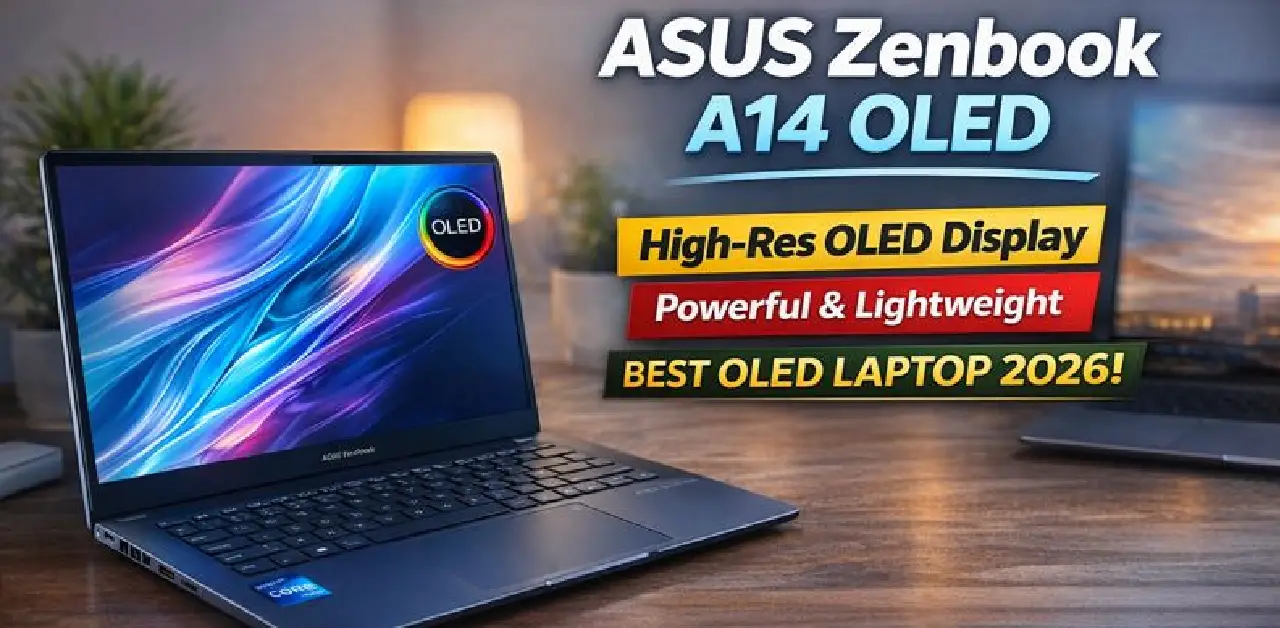
Not everyone wants a heavy gaming machine. Some people want a laptop that feels light, looks elegant, runs fast and still lasts all day. That’s exactly where the ASUS Zenbook A14 OLED steps in.
This laptop is designed for students, creators, office professionals and anyone who wants premium style without paying premium flagship prices. With its slim body, stunning OLED display and reliable performance, it turns daily work into a smoother, more enjoyable experience.
Elegant Design That Feels Premium
The Zenbook A14 OLED looks simple, but that’s its strength. The clean metallic finish, sharp edges and ultra-thin profile give it a professional and classy feel. It slips easily into a backpack, feels light in hand and doesn’t feel bulky even after long hours of use.
Whether you carry it to college, office meetings or cafés, it always looks smart and modern.
A Display You’ll Fall in Love With
This is where the Zenbook A14 truly shines.
It features a 14-inch OLED display that delivers rich colors, deep blacks and sharp clarity. Everything looks more alive — movies, YouTube videos, design work, presentations and even simple browsing feel visually pleasing.
Text looks crisp, brightness levels are comfortable for long reading sessions and the screen reduces eye strain compared to regular laptop displays.
Once you use an OLED screen, it’s hard to go back.
Smooth and Reliable Performance
Under the hood, the Zenbook A14 OLED is powered by a modern processor that handles daily tasks with ease. You can run multiple apps, edit photos, manage office files, attend video calls and browse dozens of tabs without slowing down.
It’s built for people who want speed and stability rather than flashy numbers. Everything feels quick, responsive and consistent.
Battery That Matches Your Day
A premium laptop should keep up with your routine — and this one does.
The Zenbook A14 OLED offers long battery life that comfortably supports a full workday. From morning meetings to evening Netflix sessions, you won’t constantly search for a charger.
And when you do need to plug in, fast charging support brings your laptop back to usable levels quickly.
Comfortable Keyboard & Smart Touchpad
Typing on this laptop feels natural and comfortable. The keys have good spacing, soft feedback and make long typing sessions easy.
The large touchpad is smooth, responsive and supports useful gestures — making everyday navigation faster and simpler.
Built for Real-World Use
This laptop comes with all the essential ports, fast Wi-Fi connectivity, clear speakers and a sharp webcam — making it perfect for online classes, office calls and presentations.
It handles work, entertainment and creativity without stress.
Why Zenbook A14 OLED Stands Out
-
Premium slim and lightweight design
-
Fast and stable performance
-
Long battery life
-
Comfortable keyboard and touchpad
-
Smooth Windows experience
-
Great balance between power and portability
It’s made for people who want elegance, performance and reliability in one clean package.
Related post :-
- Realme 15T 5G – The ₹20K Phone That’s Making Flagship Brands Nervous
- Apple Headphones: Why Apple’s Audio Experience Feels Different
- Realme GT 8 Pro: A Flagship Built for Real-World Performance
- Redmi A5: A Budget Smartphone Made for Everyday India
📌 10 FAQs – ASUS Zenbook A14 OLED
1. Who should buy the ASUS Zenbook A14 OLED?
Students, professionals, creators and anyone who wants a lightweight premium laptop.
2. Is the OLED display good for watching movies?
Yes, the OLED screen gives rich colors and deep contrast for an immersive viewing experience.
3. Can this laptop handle multitasking?
Yes, it smoothly handles multiple apps and browser tabs together.
4. Is the Zenbook A14 good for office work?
Yes, it is excellent for documents, presentations, meetings and everyday productivity.
5. How is the battery life?
It comfortably lasts through a full workday with normal use.
6. Is it easy to carry?
Yes, it is slim and lightweight, perfect for travel and daily commute.
7. Does it support fast charging?
Yes, it comes with fast charging support.
8. Is the keyboard comfortable for long typing?
Yes, the keyboard offers good key travel and comfortable spacing.
9. Is the screen easy on the eyes?
Yes, OLED displays reduce eye strain compared to regular panels.
10. Is it suitable for online classes and meetings?
Yes, it has a clear webcam, good speakers and stable connectivity.